 9ca2842b0e
unary & is used with 32 bits operands. If the operand literal is not explicitly expressed as 32bits, it can create random casting errors depending on the Python version and the underlying implementation. |
||
|---|---|---|
| lib | ||
| public | ||
| storage/profiles | ||
| .gitignore | ||
| config.py.EXAMPLE | ||
| picoreflowd.py | ||
| README.md | ||
picoReflow
Turns a Raspberry Pi into a cheap, universal & web-enabled Reflow Oven Controller. Of course, since it is basically just a robot sensing temperature and controlling environmental agitators (heating/cooling) you can use it as inspiration / basis when you're in need of a PID based temperature controller for your project. Don't forget to share and drop a link, when you do :)
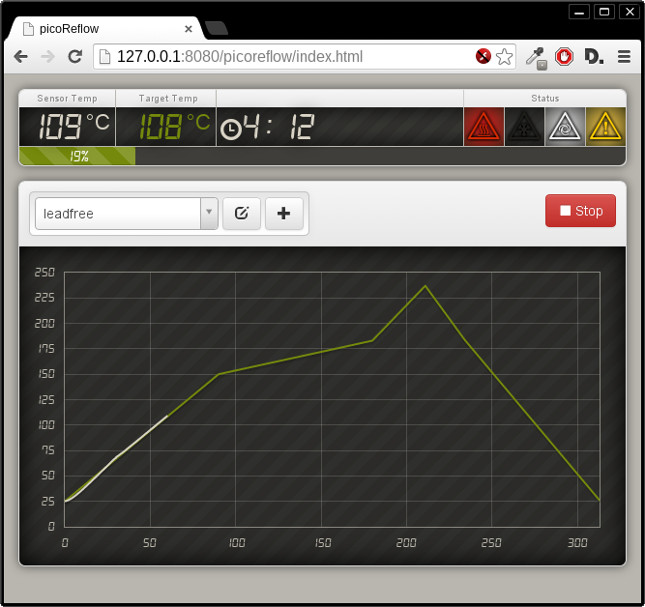
Standard Interface
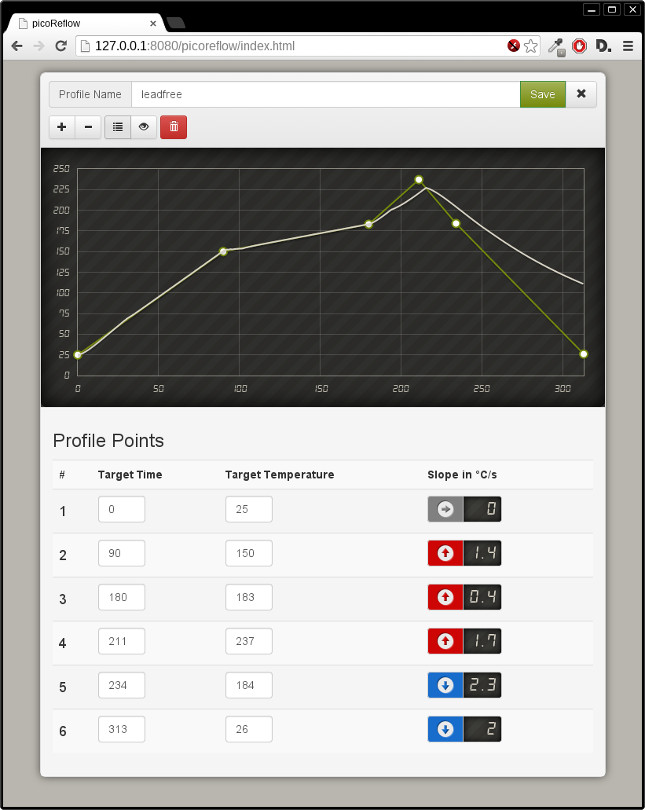
Curve Editor
Hardware
- Raspberry Pi (Rev 2B)
- MAX 31855/6675 Cold-Junction K-Type Thermocouple
- GPIO driven Solid-State-Relays/MOSFETs
Installation
Dependencies
We've tried to keep external dependencies to a minimum to make it easily deployable on any flavor of open-source operating system. If you deploy it successfully on any other OS, please update this:
Currently tested versions
- greenlet-0.4.2
- bottle-0.12.4
- gevent-1.0
- gevent-websocket-0.9.3
Ubuntu/Raspbian
$ sudo apt-get install python-pip python-dev libevent-dev
$ sudo pip install ez-setup
$ sudo pip install greenlet bottle gevent gevent-websocket
Gentoo
$ emerge -av dev-libs/libevent dev-python/pip
$ pip install ez-setup
$ pip install greenlet bottle gevent gevent-websocket
Raspberry PI deployment
If you want to deploy the code on a PI for production:
$ pip install RPi.GPIO
This only applies to non-Raspbian installations, since Raspbian ships RPi.GPIO with the default installation.
Clone repo
$ git clone https://github.com/apollo-ng/picoReflow.git
$ cd picoReflow
Configuration
All parameters are defined in config.py, just copy the example and review/change to your mind's content.
$ cp config.py.EXAMPLE config.py
Usage
Server Startup
$ ./picoReflowd.py
Autostart Server onBoot
If you want the server to autostart on boot, run the following commands
sudo cp /home/pi/picoReflow/lib/init/reflow /etc/init.d/
sudo chmod +x /etc/init.d/reflow
sudo update-rc.d reflow defaults
Client Access
Open Browser and goto http://127.0.0.1:8080 (for local development) or the IP of your PI and the port defined in config.py (default 8080).
License
This program is free software: you can redistribute it and/or modify it under the terms of the GNU General Public License as published by the Free Software Foundation, either version 3 of the License, or (at your option) any later version.
This program is distributed in the hope that it will be useful, but WITHOUT ANY WARRANTY; without even the implied warranty of MERCHANTABILITY or FITNESS FOR A PARTICULAR PURPOSE. See the GNU General Public License for more details.
You should have received a copy of the GNU General Public License along with this program. If not, see http://www.gnu.org/licenses/.
Support & Contact
Please use the issue tracker for project related issues.
More info: https://apollo.open-resource.org/mission:resources:picoreflow