* FEATURE: Add ignored user list to the User's preference page
## Why?
Part of: https://meta.discourse.org/t/ability-to-ignore-a-user/110254
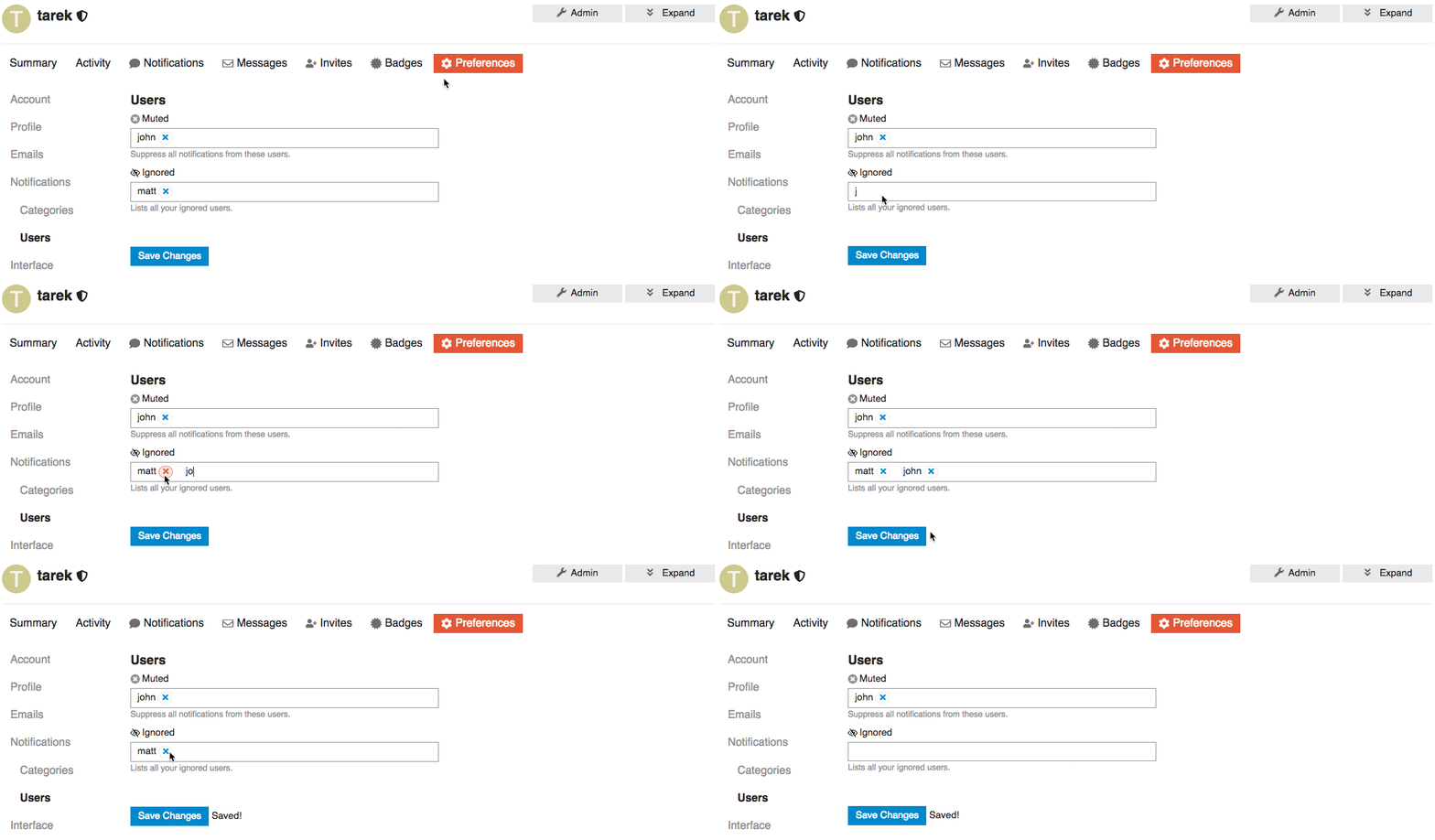
We want to add list of Ignored users under or along with the muted users preferences section.
This way Users can find and update their list of ignored users.
## UI
## Open questions
Two of many options to represent a list of ignored users is that we can:
1. We can represent the ignored user list as a table with the ability to `un-ignore` but NOT to add new ignored users.
2. We can keep it functioning as the `muted user list` where you can `un-ignore` or `ignore` users.
* Adds warnings to the "Edit Category" dialog
* Doesn't hide the "Security" tab on the "Edit Category" dialog anymore. Instead, it shows an explanation why permissions can't be changed.
* Makes the category name translatable
* Hides the category name from the edit dialog (it can be customized by overriding the translation)
* Creates a translation override if the category has been renamed in the past
This disables a bunch of hacks that bypassed "focus" on iOS (cause focus
events that involve a virtual keyboard on iOS cause browser havoc unless
a physical keyboard is attached)

Also will focus on title on new topic
Sadly there is no clean way of detecting a keyboard is connected to an iPad

If the keyboard is connected we want to disable all the touch related hacks
on iOS

This allows iPad users to specify they have a keyboard connected. Setting
is per device.
This commit also:
- removes [+ New Topic] behaviour from share, this feature has been duplicated in composer actions, months ago
- introduces our new experimental spacing standard for css: eg: `s(2)`
- introduces a new panel UI for modals
We had Prettier pinned because of https://github.com/prettier/prettier/issues/5529. Since that bug is fixed, unpinning.

Prettier now supports YAML, so this applies Prettier to all .yml except for translations, which should not be edited directly anyway.
Previously the 'reconnect' process was a bit magic - IF you were already logged into discourse, and followed the auth flow, your account would be reconnected and you would be 'logged in again'.

Now, we explicitly check for a reconnect=true parameter when the flow is started, store it in the session, and then only follow the reconnect logic if that variable is present. Setting this parameter also skips the 'logged in again' step, which means reconnect now works with 2fa enabled.


